
How to Add Apple CarPlay to an Older Car: A Step-by-Step Guide
by Echo Zou on Nov 27, 2025

Yes, you can add Apple CarPlay to an old car with an aftermarket head unit or a plug-and-play wireless adapter. Installation requires a dash kit, wiring harness, and potentially CAN bus integration. To budget, verify steering wheel control support and microphone placement, then align features to commute requirements.
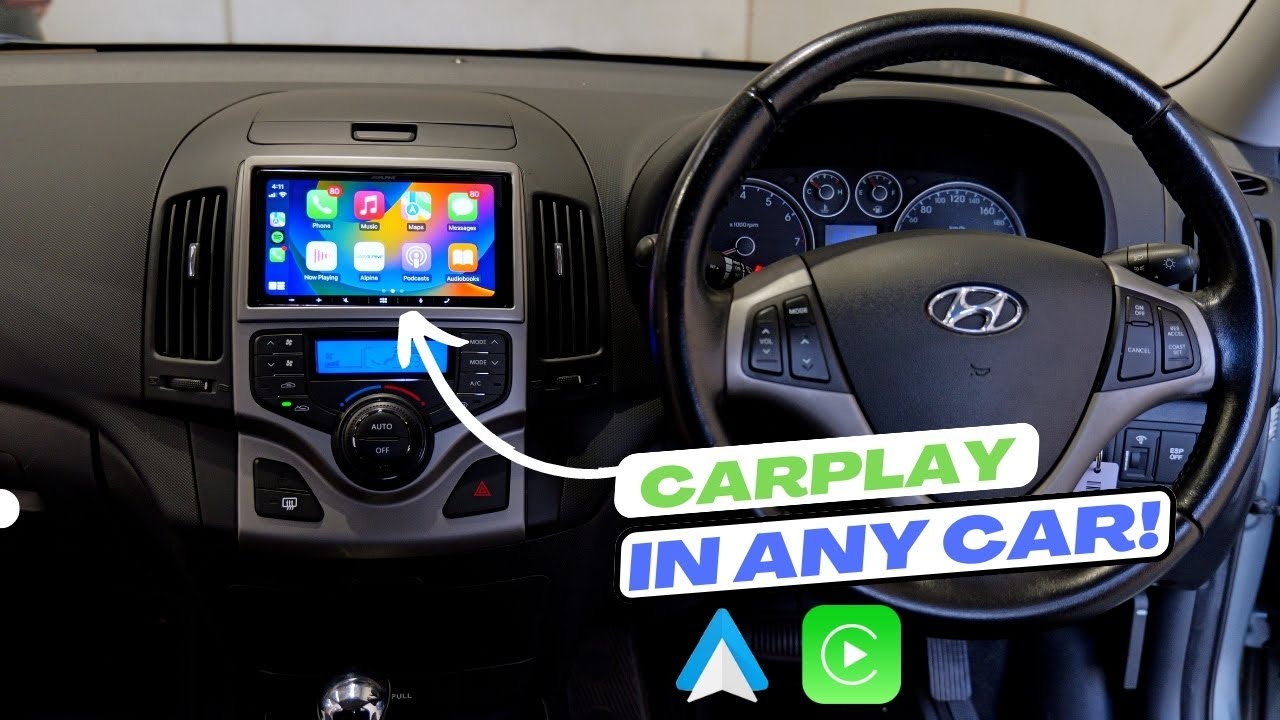
Can You Add CarPlay?
Yes, with aftermarket hardware. Most cars made before 2016 require a new head unit or an adapter, not a software hack. Winnings consist of improved maps, hands-free telephone calls, more secure Siri voice control, and iPhone apps on your dash. Prices in the U.S. Are typically between $300 and $1,000 or more with parts and labor, and professional installation is standard in areas like the Bay Area because of complex wiring and CAN-bus integration.
1. Vehicle Check
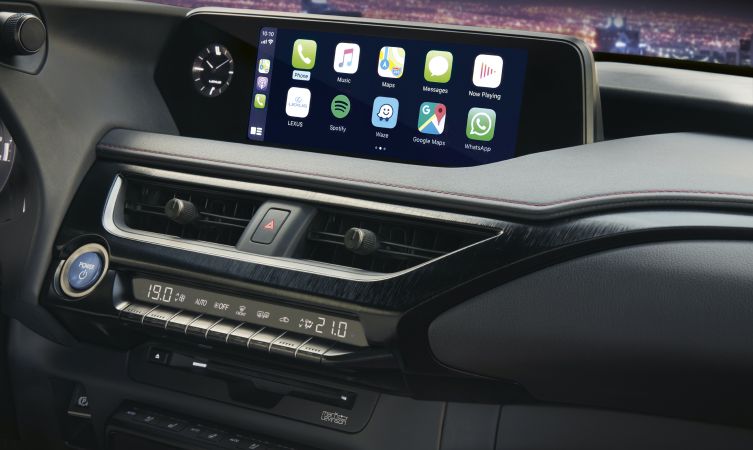
Make, model and year. Find CarPlay-ready receivers verified to fit your vehicle. Crutch field’s Fit Guide and brand compatibility charts make it easy. About CAN YOU ADD CARPLAY? Older Lexus, Honda, Subaru and Ford models commonly accommodate double-DIN units. Even a 20-year-old Lexus demonstrates that it is possible with the appropriate dash kit.
Make sure of the DIN size. A lot of cars in the US are double-DIN. Others use single-DIN, so you can replace it with a CarPlay single-DIN with a floating screen or convert it via a dash kit. Note that trim affects fit.
Check existing hardware. If you possess factory Bluetooth, USB or an amplified system (Bose/JBL), mention it. A few adapters keep factory amps and chimes, but they might need a dedicated wiring harness or a compatible CarPlay version.
List required refreshments. If you want a backup camera, think about video input now and plan and budget for it.
2. Dash Space
Measure the opening and depth behind the radio with a tape measure. Deep HVAC ducts or metal braces can block the big chassis.
Look for strange bends, built-in climate stacks, or flip-up doors. Floating screens are a lifesaver if your cavity is tight, but they can block vents.
Map factory buttons — hazard, airbag status, climate. Go with a dash kit that relocates controls or go for a small screen. If the dash is non-standard, prepare for a fascia kit, brackets, or mild trim cuts by a pro shop.
3. Wiring System
Look up your vehicle’s wiring harness standard, which is usually ISO variants, and purchase a plug-and-play harness that corresponds to the CarPlay unit and your trim.
Plan extra runs: USB to a dash cubby, mic near the cluster, GPS puck under the dash pad, speaker leads if bypassing a factory amp, and power, ground, and ACC.
For cameras, send video and power from the license plate area, tapping reverse light 12V. Conceal wires beneath sill trim and circumvent airbag looms.
Make a checklist: main harness, antenna adapter, steering-wheel control (SWC) interface, CAN bus module if needed, USB extension, camera cable, panel tools, and fuses.
4. Steering Controls
Verify SWC retention. Most cars retain volume, track, and call through an interface module (like PAC, iDatalink, Axxess) that remaps factory buttons to the new unit.
Fit the module for your car and radio brand. Some cars shed niche buttons, like voice for factory navigation. Note trade-offs before you buy.
Confirm safe controls remain accessible. Set long-press actions for Siri and calls. Test prior to closing the dash.
If SWC is not supported, think about a wheel-mounted IR remote or radio face controls. Emphasize hands-free operation.
Your Upgrade Options
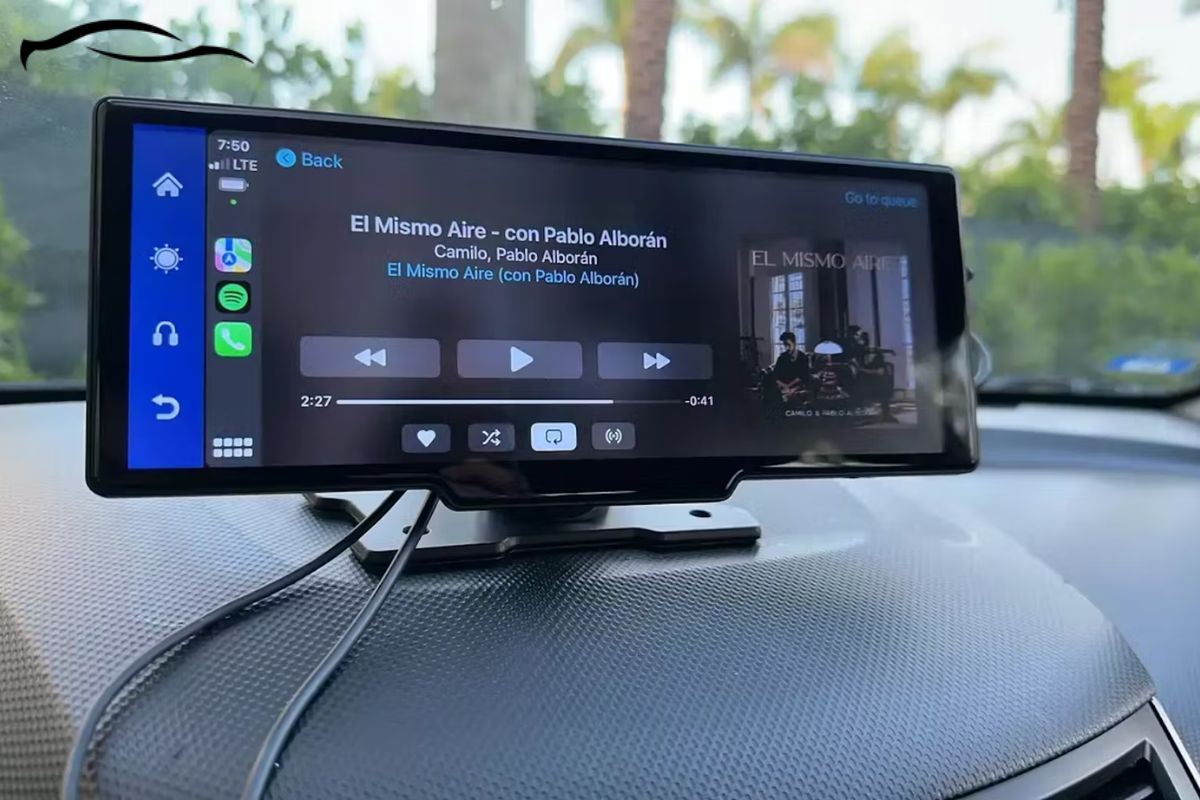
Older cars in the Bay Area can get Apple CarPlay through three paths: full aftermarket head units, plug-and-play adapters for factory radios, or wireless dongles that unlock CarPlay without a full swap. Prices, installation effort, and features are all different, so align the option to your commute and dash design.
Aftermarket Units
Pioneer, Kenwood, and Sony top the list with dependable CarPlay decks. Fan favorites are Pioneer AVH-W4500NEX, Kenwood Excelon DMX907S, and Sony XAV-AX6000. They feature big touch screens, some bulge tablet-style and others form-fit clean double-DIN, wired and often wireless CarPlay, and Android Auto for mixed-device families.
Think about options such as built‑in navigation, dual USB ports that charge a second device, Bluetooth, and quick start. Others add HD Radio, multiple camera inputs, and customizable user interface. A lot of users still desire a volume knob. Sony AX‑series and certain Kenwood units have one in addition to steering wheel controls.
Compatibility depends on dash size, CAN bus interfaces and harnesses. A Metra or iDatalink Maestro kit might be required to keep steering wheel controls and vehicle chimes intact. Plan for tools and add-ons: wiring harness adapter, GPS antenna, USB extension cable, and a mic. Some cars even require a bracket for a floating screen.
CarPlay Adapters
USB or AUX-based plug-and-play adapters bridge a stock radio to CarPlay with minimal dash modification. These fit leased cars or slick OEM appearances with fast installation and a convenient front USB port or cord hidden beneath the dash.
Wireless CarPlay adapters provide cable-free use with supported iPhones, perfect for brief SF rides. Others hold onto a wired USB alternative for speedier charging. Anticipate potential lag, slower app handoff, and limited touch control if the factory screen doesn’t have full touch support. You can lose deep app settings and audio latency can impact calls. Steering-wheel buttons often do work, but some vehicles require additional modules to keep them.
Select wired for stability, lower cost and consistent power. Choose wireless for convenience. Either way, verify power output, second-device charging, and that the unit supports your car’s bus system.

The Installation Reality
Installing CarPlay in an older automobile is possible with preparation, a calm touch, and the correct kit. The majority of installs focus on swapping out the factory radio for a CarPlay head unit, which requires either a double-DIN opening or a dash kit that creates space.
DIY Route
-
Tools and parts: panel pry tools, Phillips and flat screwdrivers, socket set, wire crimper/stripper, multimeter, dash kit or brackets, wiring harness adapter, antenna adapter, mic, GPS antenna, USB extension, backup camera (optional), and the CarPlay head unit priced between $200 and $1,700.
-
Prep: Confirm dash space, check steering-wheel control module needs, and confirm if you want wired-only or wireless. If wired-only, prepare for a wireless adapter.
Unhook the negative battery terminal. Pull trim, unbolt the old stereo, and photograph connectors. Mate the new stereo’s harness to the car specific harness adapter, crimp or solder, then heat-shrink. Pop the steering-wheel control module inline as necessary, and run the mic to the headliner and the GPS antenna to the dash top or A-pillar.
Test fit the head unit with the dash kit. Extend the USB to a nice clean location in the console. Fasten the backup camera wire if used. Tag every wire run so putting it back together isn’t a crap shoot.
Now reconnect the negative terminal, turn on the ignition and test audio, CarPlay, mic, GPS, backup camera and steering controls. Update the head unit firmware. Finish mounting, bolts and trim back on. The reality of the installation is that most DIY jobs run two to four hours.
Professional Help
An aftermarket Bay Area shop in SF or the Peninsula that does CarPlay retrofits every single day will map your car’s CAN bus, preserve factory features like Bose amps or parking sensors, and manage weird fiber optics. This comes in handy when your vehicle requires a MOST or data-bus interface or a hardwired-only unit requires a qualified wireless adapter with reliable firmware.
Request a quote in writing that includes parts, labor, dash kit, wiring harnesses, steering wheel control interfaces, camera integration and any USB/GPS accessories. Anticipate 2 to 3 hours booked time, plus coding if necessary. Pros offer clean routing, firmware updates and warranty on parts and labor.
What About Your Warranty?
Adding CarPlay to an older car can affect your factory or extended warranty, and it depends on the brand, the policy, and how the job is done in the U.S. Market—even in California. Check your fine print first, then vet parts and installers that have you covered.
Check if modifying your car’s audio or infotainment system affects your manufacturer or extended warranty.
Most automakers say that non-approved mods can void warranty coverage, in full or in part, and extended service contracts often follow suit. While some owners report no trouble after adding a third-party CarPlay alternative, others have had claims denied. The pattern is clear: if a failure is tied to the mod, the manufacturer can refuse that repair, even if the rest of the vehicle stays covered. In reality, an audio upgrade may not impact an engine claim, but it can jeopardize head-unit, CAN-bus, or electrical claims.
Review terms for aftermarket parts and installation, as some warranties may be voided by non-factory upgrades.
Warranty booklets and dealer addenda will frequently mandate ‘authorized’ dealerships or approved accessories to preserve coverage. Examine clauses regarding electrical alterations, wiring harness splices, fuse taps, and software coding. Many policies permit modifications if they are OEM spec; others require documented compliance. If your vehicle is still under bumper-to-bumper coverage, verify if a dash disassembly or harness adapter violates conditions.
Ask your installer about warranty coverage on parts and labor for the CarPlay system.
Go with a CPO shop that offers written parts and labor warranties, such as 12 months or 12,000 miles. Request liability coverage information in case the install damages OEM components and verify return-to-stock possibilities. In California, good Bay Area shops will identify harness types, load ratings, and panel removal methods to steer clear of airbags, MOST bus, or fiber lines.
Document all changes made to your vehicle for future reference or resale purposes.
Save invoices, serial numbers, wiring diagrams, and before/after pictures. Keep evidence of correct installation and compliance. Some owners have been requested to submit it to maintain coverage. Mark fuse locations, ground points, and software versions applied.

Life With CarPlay
CarPlay puts Apple Maps, music, calls, and messages on the dash with a clean UI that eliminates clutter and keeps eyes up. Siri manages most via voice, so you can drive and still receive turn-by-turn directions, reply to texts, or begin a playlist. The interface mirrors your iPhone, making the learning curve small and updates ride along with each iOS release. Wireless CarPlay is ubiquitous now, but some head units still require a Lightning cable. Since CarPlay debuted in 2014, older cars typically need a third-party head unit, and some units even have a companion iPhone app from the manufacturer.
Daily Driving
In Bay Area traffic, real-time reroutes count. Apple Maps displays lane guidance on 101 or I‑280, and one-tap tiles hop between Google Maps, Spotify, and Messages without navigating menus.
Calls and texts run through Siri and steering-wheel buttons, keeping hands on the wheel. People listen to voicemails and get a text backlog, among other things, while driving. I still recommend succinct instructions.
Audio is easy. Launch Apple Music, switch to a podcast, or select an audiobook queue. Volume and track skip map to the car’s knobs.
Others report restrictions such as maps not filling some screens. Others call it a must-have. Depending on the head unit and screen size, the experience is different.
Long Road Trips
Route with Apple Maps or Waze, insert food stops in Gilroy or charging breaks in Vacaville, then navigate lane guidance through interchanges while controlling music up front with split view. Wireless CarPlay keeps the cabin tidy. Long drives still prefer wired for consistent charge. Share playlists and pinned destinations with passengers. Calendar can bring up hotel check-ins. Widgets display ETA, next turn, and messages side by side.
CarPlay could trigger smart home scenes as you approach home, such as illuminating porch lights or adjusting the thermostat.
Resale Value
Having “Apple CarPlay” in your used-car post attracts tech-minded buyers anticipating phone mirroring and safer voice control.
Include receipts, model numbers and install notes. They indicate a neat, professional job and alleviate buyer suspicion.
Mention safer calling, easy navigation, and wireless use to defend price. Third-party installs bring new value to pre-2014 vehicles.
Conclusion
Can I add Apple CarPlay to my old car? Select a head unit that suits your dash. Prep for power, dash trim and steering wheel buttons. Plan on a dash kit, a harness, and a mic. Wired remains still. Wireless is cool, but it is pricier and requires a good signal.
Edge cases arise. Old BMW fiber, Bose amps and weird dash shapes require additional components. That’s typical.
Frequently Asked Questions
Can I add Apple CarPlay to my old car?
Yes. Most cars from the mid-2000s on can get CarPlay with an aftermarket head unit. Leading brands are Pioneer, Kenwood, Alpine, and Sony. Verify the fitment for your specific year, make, and model.
How much does a CarPlay upgrade cost in the U.S.?
Anticipate a cost of $250 to $1,000 for the head unit, and $100 to $400 for components such as dash kits and wiring. Professional installation in the U.S. Usually adds $150 to $400. The total cost is roughly $500 to $1,800.
Do I need professional installation?
It’s worth it. Newer cars utilize vehicle-specific harnesses and steering-wheel control adapters. A pro guarantees a neat installation, functioning audio, and no check engine lights. DIY if you’re confident in wiring and trim removal!
Will adding CarPlay void my warranty?
In general, no. Under the Magnuson-Moss Warranty Act, a dealer has to prove the upgrade caused the problem. Save receipts, use certified harnesses and select a reliable installer to minimize risk.
Can I get wireless CarPlay?
Yes. Several newer aftermarket units support wireless CarPlay. You’ll need Bluetooth and Wi-Fi in the unit. Wireless adapters are available, but built-in wireless units have proven more reliable.
What if my car doesn’t support a head unit swap?
Think CarPlay screen that mounts on the dash and runs from a 12V outlet or a mirror-style device. These skip wiring modifications but will not connect as deeply with OEM controls or cameras.
Will factory features like backup camera and steering controls still work?
Many times, yes, with the appropriate adapters. Request vehicle-specific interface modules to maintain backup camera, steering-wheel buttons and amplifier integration. A professional installer can verify compatibility before purchase.


