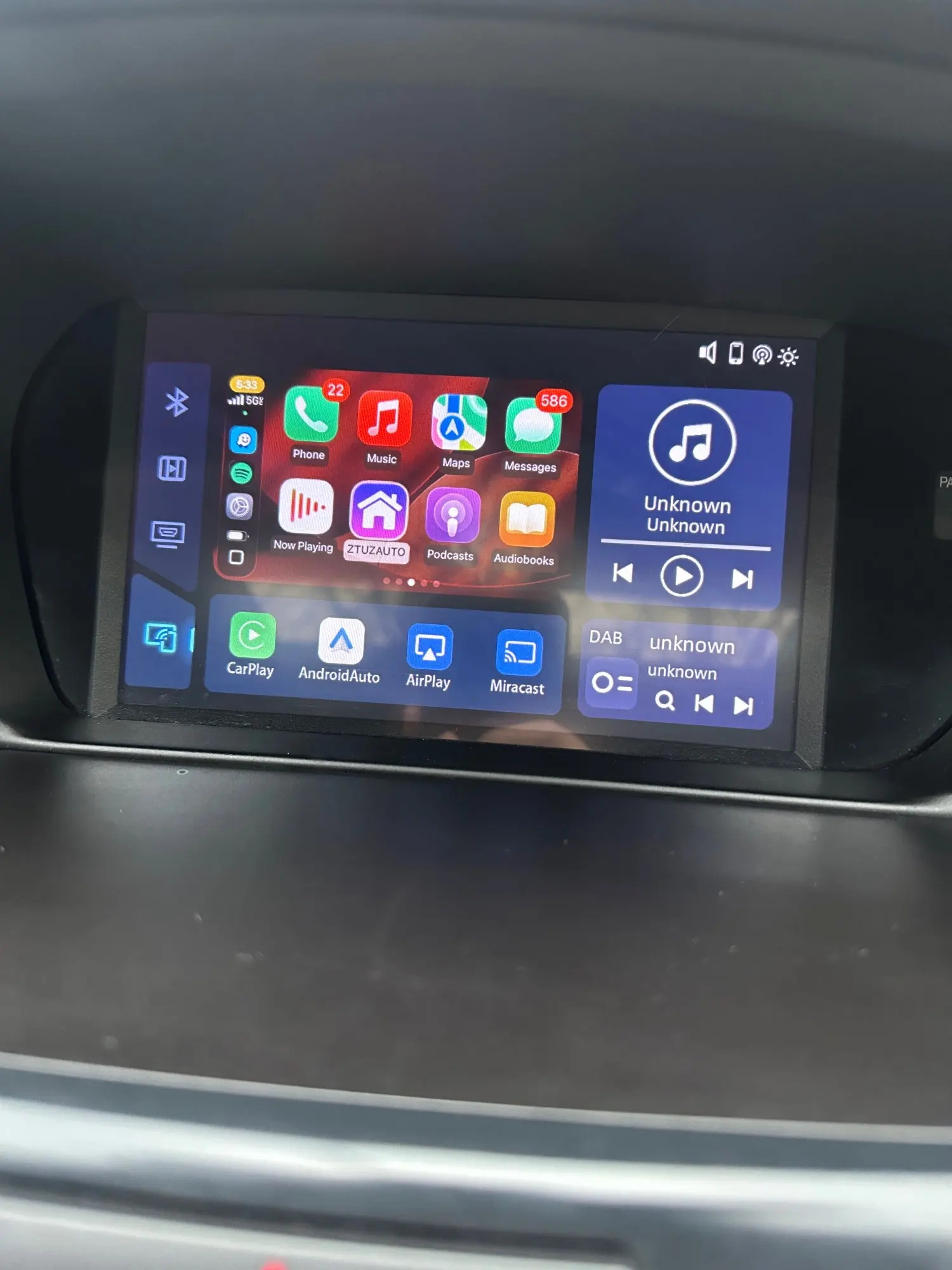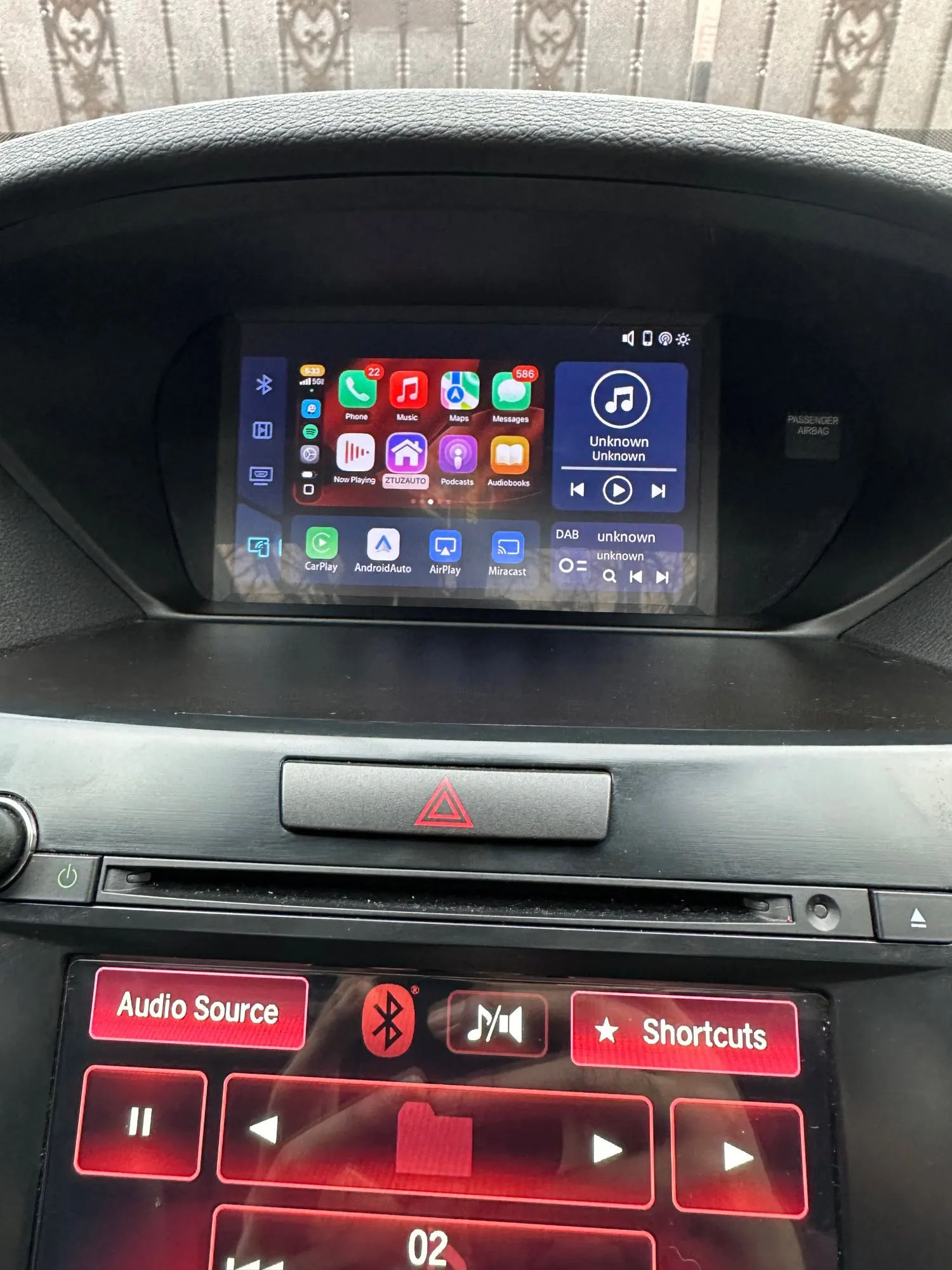


Acura MDX/RDX/TLX/ILX/RLX 2009-2013 Single-Screen Models Carplay adapter-Wireless Apple Carplay/Android Auto retrofit module for original screen
⚠ IMPORTANT: This product is for SINGLE-SCREEN Acura models only.
If your vehicle has two screens, this is NOT the correct product.
✔ Adds Apple CarPlay & Android Auto to your factory screen
✔ No screen replacement — OEM look stays
✔ Retains factory radio, camera & controls
✔ Plug & Play integration — no permanent modification
✔ Wired or Wireless CarPlay (model-dependent)
This CarPlay interface adds Apple CarPlay and Android Auto to your existing Acura factory screen — without replacing it.
Once installed, your phone connects wirelessly every time you start the vehicle — giving you instant access to Maps, Spotify, Waze, Apple Music, WhatsApp, messages, calls, and more on your original screen.
Retains all OEM features:
• Radio, media, vehicle settings
• Factory backup camera
• Control knob/ Steering wheel control
• OEM microphone
Compatible Models (Only Compatible for Single-Screen Models):
✔ Acura TSX 2009–2014 (Single Screen)
✔ Acura TL 2009–2011
✔ Acura RDX 2009–2013 (Single Screen)
✔ Acura MDX 2009–2013 (Single Screen)
✔ Acura RL 2009–2012
Not Compatible with:
✘ Acura dual-screen systems
✘ Aftermarket head units
✘ Vehicles with modified infotainment systems
What’s in the Box
• CarPlay Adapter Module
• Plug-and-play wiring harness
• USB cable
• External microphone
• Installation guide
Installation
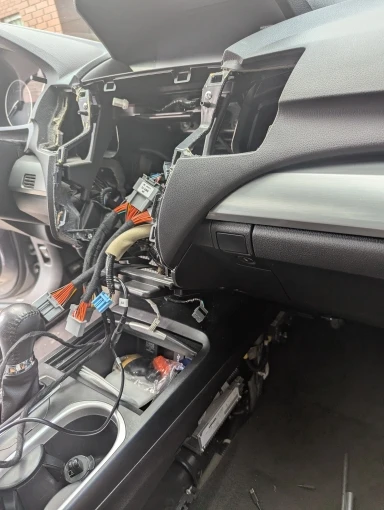
• Simple Plug-and-Play installation — no cutting or coding required.
• Installation video guide included.
• Most users complete it within 2–3 hours with basic tools
Real-case example of an Acura RDX 2013 Carplay installation.
FAQ
1.How do I know if my Acura is single-screen?
Single-screen models have only one display on the dashboard. If you’re unsure, send us a photo and we’ll confirm for you.
2. Does this replace my factory Acura screen?
No. You keep your original display, this module adds CarPlay/Android Auto on top of it.
3. Will I lose any original functions?
No. All OEM functions remain fully operational.
4. Will it work if my Acura did not come with navigation?
Yes
5. Will this affect my factory system or warranty?
No. The factory system remains unchanged and fully reversible.
6: What if I order the wrong one?
Contact us before ordering — we confirm compatibility. If it doesn’t fit, you’re covered by our 30-day return policy.
7. Is the installation difficult, is there any step-by-step video that can guide me through the installation?
Yes, you can search "Your Car Module+Year+Carplay Install" on YouTube to find a step-by-step video for your specific car, Most users can complete installation by themselves in about 2 hours with simple tools. No coding or cutting required.
Real-case example of an Acura RDX 2013 Carplay before and after video
8. There's no audio after installation, or I want to use OEM bluetooth audio, how can I do that?
The Acura default audio setting is Aux Audio, select Aux as audio source. You can also change to your oem bluetooth audio in the CarPlay Menu, following is a video link shows how to change the setting:
https://www.youtube.com/watch?v=zw1IK7ga768
Still not sure if this CarPlay interface fits your vehicle?
Tell us your car’s:
• Make
• Model
• Year
• Trim (if known)
We’ll confirm compatibility for you before you buy.
✔ Vehicle Compatibility Guaranteed
✔ If it doesn’t fit your car, you can return it — no hassle
✔ Real human support, not bots


-
Estimated Delivery:Sep 29 - Oct 03
-
Free Shipping: On all orders over $100 in Canada and $150 in United States.