

Key Takeaways
-
A carplay adapter makes factory wired carplay wireless with Bluetooth pairing and Wi-Fi data handoff, keeping full carplay functionality like maps, calls, messages, and music. It serves as a digital gateway so your iPhone pairs automatically when you start the car.
-
It’s usually plug and play in less than five minutes by plugging into the USB port, pairing your iPhone, and answering on-screen prompts. Having a Lightning cable available for initial setup or troubleshooting is important. Check success with the adapter’s LED or screen prompt.
-
Select an adapter with a straightforward checklist of trusted vehicle and iPhone compatibility, robust wireless stability, rapid reconnection, and simple firmware update notification. Contrast brands on actual reviews, support policies, and value for the price, not just specs.
-
Look forward to tidier dashboards and less distraction compared to wired. A few wireless setups will exhibit slight latency or sporadic dropouts in high-density wireless environments. Focus on adapters with high-speed Wi-Fi radios and frequent firmware updates, which make them more reliable and less laggy.
-
Consult official compatibility lists for your car’s make, model and year, particularly if you drive newer EVs or an aftermarket head unit. If you have an older car, seek out retrofit-friendly options and transparent guidance. Double-check support for both CarPlay and Android Auto if necessary.
-
Consider firmware updates as regular maintenance. This includes squishing bugs, tightening security, and adding features over time. Go with trusted brands that post release notes and have responsive customer service and warranty.
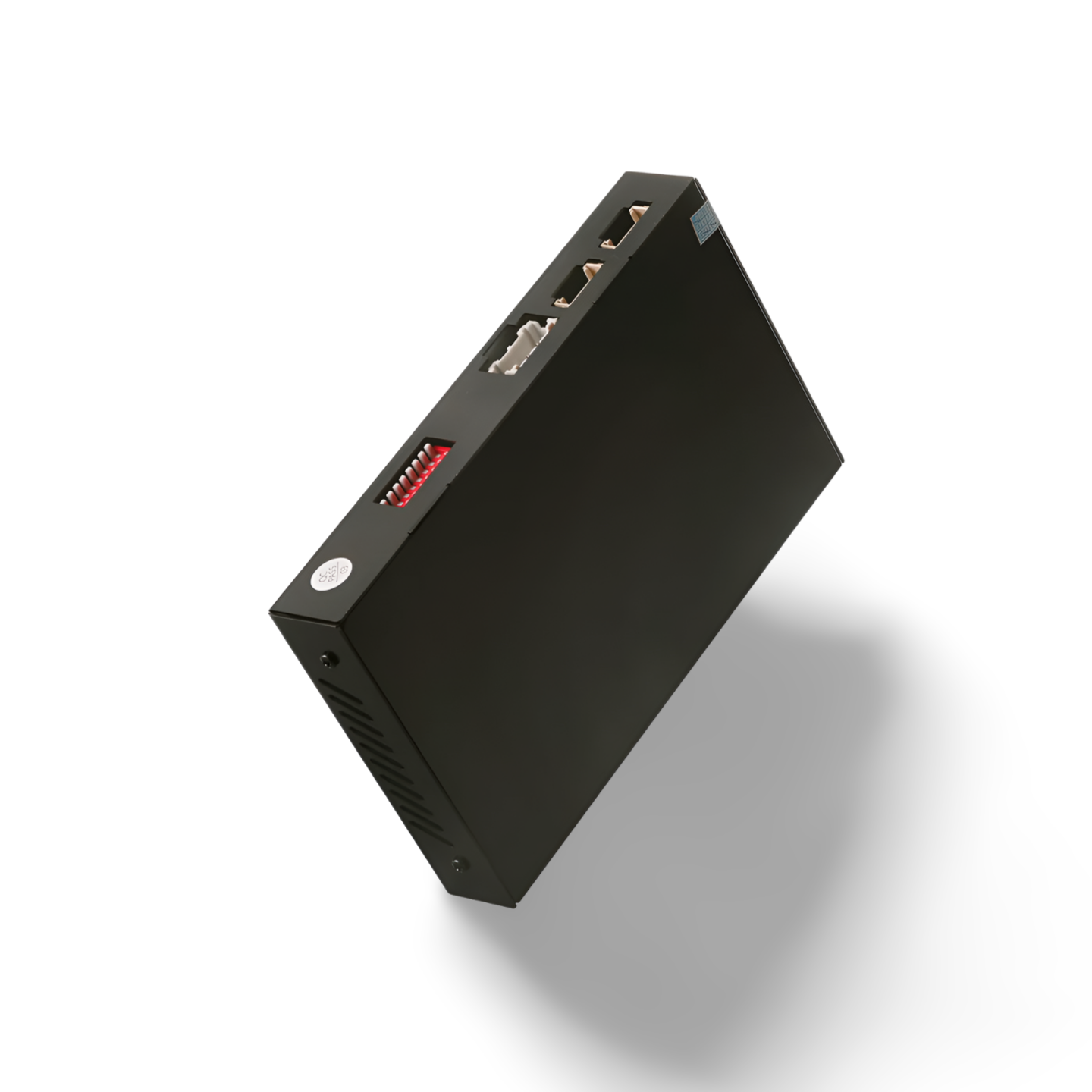
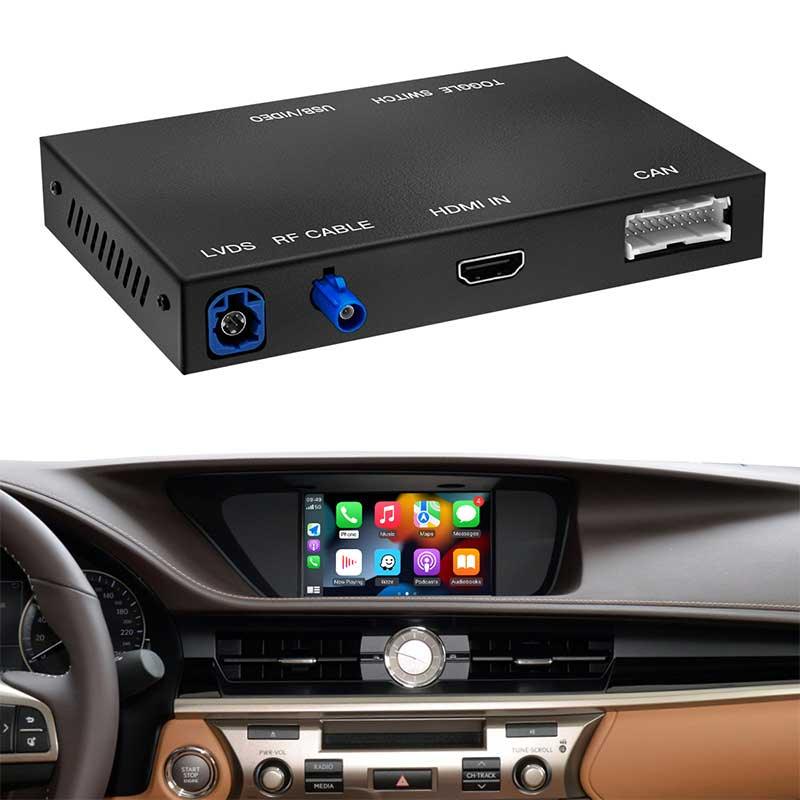
Specifically, a CarPlay adapter is a small plug-in device that adds Apple CarPlay to non-supported cars or those with wired CarPlay. In the U.S., it plugs via USB-A or USB-C and connects to an iPhone via Bluetooth and Wi-Fi for wireless functionality. Most units support touchscreens, steering wheel controls, Siri, and maps with live traffic. To select the appropriate model, align with your head unit brand, iOS version, and preferred boot speed.
What is a CarPlay Adapter?
Basically, a CarPlay adapter is a mini plug-in gizmo that converts wired Apple CarPlay into wireless. It bridges older head units and today’s demand for wireless convenience, so drivers can leave maps, calls, and jams on the dash, cable-free. Interest is percolating among newer sedan and EV owners as well as San Francisco commuters who navigate and stream daily.
1. The Core Function
The core job is simple: convert a wired CarPlay link into a wireless one using Bluetooth to start the session and Wi-Fi for bandwidth. After an initial setup, an iPhone connects automatically when you start the car, no cable required.
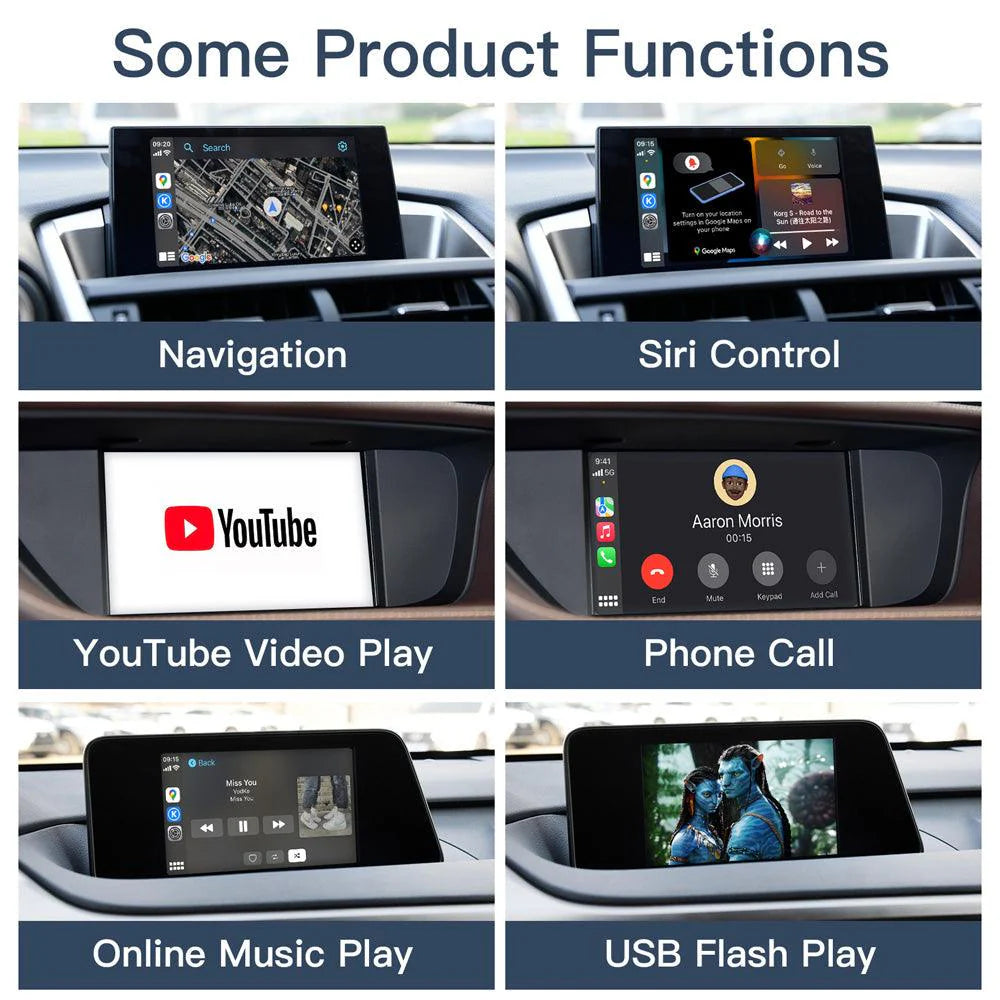
All your usual CarPlay staples remain: Apple or Google maps, calls, messages with Siri, Music or Spotify. The adapter is the digital bridge between the iPhone and the car’s infotainment stack, residing in the USB port that conventionally accommodates wired CarPlay.
2. The Wireless Bridge
It plugs into the car’s USB port, then makes a Bluetooth handshake and switches to Wi-Fi for speedy data, which keeps maps fluid and audio crisp. This translates to less cable clutter and no more cord-fishing at a stop light!
Hands-free use remains front and center with Siri and steering-wheel controls. Most adapters work with recent iOS versions and several vehicles that already support CarPlay over USB. Verify your model list and iPhone generation.
Setup can feel trickier than a cable: pair via Bluetooth, join the adapter’s Wi-Fi, and confirm prompts. If you’re a first timer, you might need a minute.
3. The Retrofit Solution
Wireless adapters are a sort of aftermarket enhancement for autos that have CarPlay but not the wireless half. They’re a fraction of the price of a new head unit or car, and the majority are plug-and-play for the typical driver.
This keeps the existing setup practical for longer while injecting contemporary convenience. Performance can vary by brand, so check firmware support and real world reports.
4. The User Interface
The on-screen feel remains the CarPlay UI you’re familiar with, so there’s no new learning curve. Siri stays in play for quick commands, dictation, and safer drives.
Apps such as Maps, Music, Podcasts, and Messages resided on the dash, just as with a cable. Most adapters push firmware updates to squash bugs, broaden compatibility, and optimize Wi-Fi stability. Battery drain can spike on long drives, so plugging in for a charge is still wise.
Choosing Your Adapter
Build a short checklist first: phone and vehicle compatibility, wireless stability, setup speed, ease of use, latency, multi-user support, pass-through charging, update cadence, warranty length, and total cost of ownership. Compare brand reputation, user feedback and after-sales service from premium to mid-range and economy models. Weigh price against performance and bonuses like Android Auto support, as dual-platform units can really extend value.
Wireless vs. Wired
Wireless saves time in daily use, boots within seconds, and most installs take under 2 minutes. Plug into the car’s USB port, pair over Bluetooth, then it shifts to Wi-Fi.
Cable clutter plummets to zero with wireless, which makes for a neat dash in those tight cabins so common around San Francisco. Wired still triumphs when it comes to raw stability and near zero latency for extended calls or heavy navigation days.
Small glitches may occur on wireless, such as small falls or a moment of audio delay, typically associated with weak Wi‑Fi handshakes or congested RF. Wired is rock solid if you navigate in thick RF environments or have an older head unit.
|
Factor |
Wireless |
Wired |
|---|---|---|
|
Convenience |
Auto-connect |
Manual plug |
|
Latency |
Low, not zero |
Near-zero |
|
Stability |
Can drop rarely |
Very stable |
|
Aesthetics |
No cable mess |
Visible cable |
|
Power |
Needs separate power |
Charges by default |
Streaming Capabilities
-
Apple Music
-
Spotify
-
Podcasts
-
Audiobooks
-
Apple Maps
-
Google Maps
-
Waze
Robust wireless connections stabilize audio and turn-by-turn. Weak connections stutter. A select few adapters add Netflix or YouTube when the head unit permits video while parked. Check your car’s limitations.
Vehicle Compatibility
Select adapter support for make, model, and year. Even small head unit changes can break features. Check the maker’s compatibility list and recent customer reviews for your specific trim. Several models operate both CarPlay and Android Auto, which is handy for families with hybrid phones. Some factory radios or older aftermarket units block wireless at the hardware level.
Software Updates
Select brands with regular firmware updates. They squash bugs, speed boot times, increase car compatibility, and close security vulnerabilities. Updates generally roll in via USB or a companion app in a matter of minutes. It would be best to select manufacturers with transparent release notes, a 12 to 24 month warranty, and reactive support. This rewards you with dependable, more robust multi-user handoff and more seamless pairing.
Performance vs. Factory Systems
CarPlay adapters connect legacy or limited factory head units with modern wireless CarPlay, but they almost never equal native wireless systems across all metrics. In the Bay Area and other crowded U.S. Markets, 2.4 GHz band congestion means that your hardware decisions are important.
Responsiveness
Cold start to CarPlay launch can be 8 to 25 seconds on adapters, but factory wireless systems typically sit between 5 and 12 seconds. High-speed 5 GHz Wi-Fi and Bluetooth LE handoff keeps wake-to-UI time tight. No 2.4 GHz-only units please if you commute through SF corridors with heavy RF noise.
Lag appears when you hop between Maps, Music, and Messages or invoke Siri in rapid fire bursts. Better adapters cache session state and leverage faster SoCs, which reduce touch input delay to near native levels.
Examples of reboots and low-latency models with consistently quick boots include Carlinkit 5.0, Ottocast U2‑Air Pro, and Motorola MA1. Focus on adapters with 802.11ac, dual-band radios and firmware optimized for quick reattachment after brief halts.
Reliability
Long drives reveal poor session management. Factory wireless keeps a stablier tunnel when doing handoffs. Adapters are more effective, particularly in or near downtown towers or if you’re doing coffee runs with frequent on and off cycling.
Dropped links ought to be unusual. Search for units posting sub-1 drop per week in owner forums and not requiring manual reconnection after each stall. Cross-model consistency is important in mixed fleets. Some adapters play nice in Toyota and Honda but require tweaks in BMW iDrive.
Rugged enclosures, robust USB-C cables, and providers who roll out quarterly firmware updates survive. Choose products with excellent longevity reviews and established US support channels.
Feature Set
Factory head units age rapidly. Interfaces become dated, firmware falls behind, and some don’t have wireless modes or support for newer phones. Aftermarket CarPlay stereos or hard adapters deliver newer UIs, slicker navigation, and timely updates that stay current for years.
Sound is a huge lever. Factory systems can limit sound quality, while an aftermarket CarPlay stereo with superior DACs, time alignment, and clean pre-outs can improve stage, imaging, and noise floor. For budget control, an adapter is less expensive than a new head unit or trading in a nice ride, but a full stereo upgrade is the route to elite sound.
-
Dual‑phone standby and fast switching
-
Android Auto support
-
Over‑the‑air firmware updates
-
Broad app support and Siri integration
-
Compact, low‑heat designs
-
Easy rollback for firmware
-
Wide iPhone compatibility across iOS versions
Beyond Navigation and Music
With CarPlay adapters, the iPhone’s cabin takeover goes beyond just maps and playlists to a more complete driver and passenger experience that remains straightforward and secure.
Hands-free messaging supports native Messages and WhatsApp with voice control, so you can listen to texts and send fast replies without looking away from the road. Calendar integration fetches your upcoming event, displays time and location, and allows you to initiate a call or navigation with a single tap. Podcasts and audiobooks line up your queue, maintain play state between devices, and adjust to brief Bay Bridge jumps or longer I-5 drives. Many users enjoy easy access to contacts, call logs, and simple web searches while stationary.
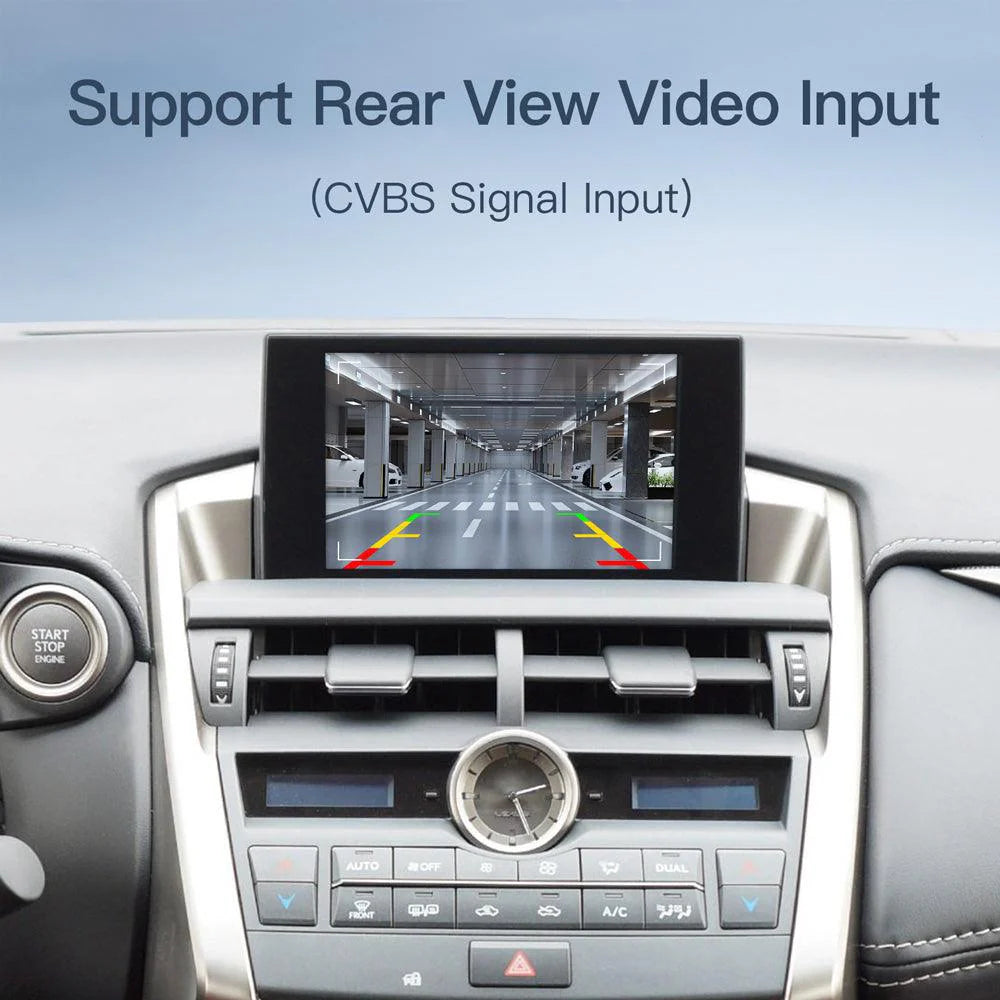
Third‑party apps expand the blend. Spotify, Apple Music, Tidal, and Audible stream lossless or high‑bit‑rate streams if the adapter and head unit catch up. Productivity apps like Microsoft Teams, Zoom (audio), Slack, and Google Calendar offer meeting joins and notifications through voice for safety. Some adaptors include social media, messaging, and even video streaming. On‑road playback locks down by default, but parked mode can display video for fast pit stops. Quality matters here: audio latency, UI polish, and link stability decide if these apps feel seamless or clunky.
Wireless CarPlay brings comfort to riders. No cords to share, quicker device switching and wider app availability enhance urbanites’ rideshare experience and Sunday getaways. Backseat travelers can cue podcasts, queue songs or control group chats from the front screen while the driver remains hands-free. Expect trade-offs: users report dropouts, audio lag, fuzzy UI scaling and higher battery draw on some units. Verify supported chipsets, support for Wi-Fi bands, which is preferable to be dual-band, firmware update cadence and explicit iPhone and vehicle compatibility prior to purchase.
Still trying out new app categories, check out voice routines, and see adapter updates, transit and location. Beyond navigation and music, wireless adapters often enable features that make daily driving feel lighter as time goes on.

Conclusion
In other words, a CarPlay adapter bridges the divide between your phone and an outdated head unit. You get maps, calls, texts, and music with a clean UI that is perfect for your daily Bay Area commute or 101-bound road trip. Choose the right chip, monitor your USB power, and maintain firmware updates. Wired units run steady. Wireless units require robust Wi-Fi and pure power. Latency, boot time, and mic gain set the feel beyond brand hype.
For most drivers, an adapter trumps a full head unit swap on price and hassle. For power users, factory systems still win on polish. Need assistance selecting one for your car and phone configuration? Leave your info in the comments and I’ll post a quick list.


